Features
Conditions, logs, maps, plans, alerts, and contacts for Pacific Northwest anglers.
Conditions, maps, private logs, water trends, planning, alerts, and on-water coordination for anglers who want their water, plans, records, and fishing contacts connected.
Trusted sources
USGS · NOAA · NWPS · DART · FPC
Condition ranges
too low · low · in shape · high · too high
Private history
logs · notes · catches · pins
Plans & contacts
checklists · routes · contacts
Conditions
Trusted conditions and weather without opening five websites.
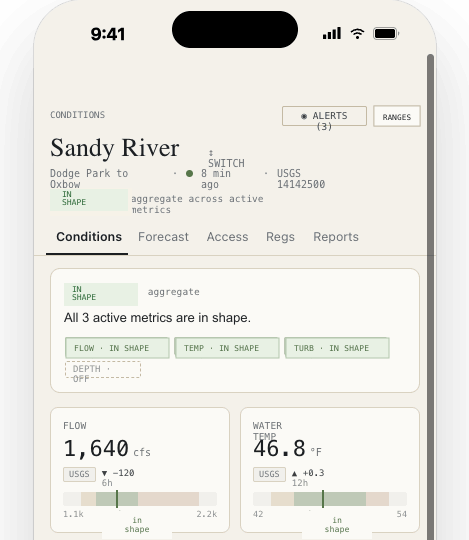
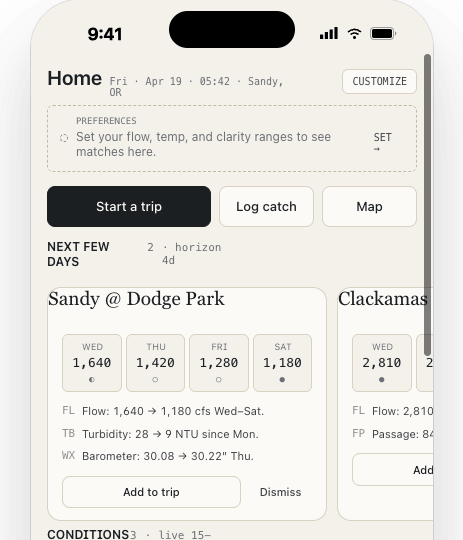
Follow the water over time: flows, temperatures, tides, turbidity where available, weather, runs, stocking, counts, and reports for the waters you care about. Set the ranges that mean low, in shape, or high for each saved spot, then read current conditions against what has worked for you before.
- USGS flow, water temperature, turbidity, and gage height
- NOAA weather, tides, currents, and forecasts
- Spot-specific condition ranges built around your own fishing history
- Regulation context where coverage exists
Sources
Readings show where they came from and when they updated.
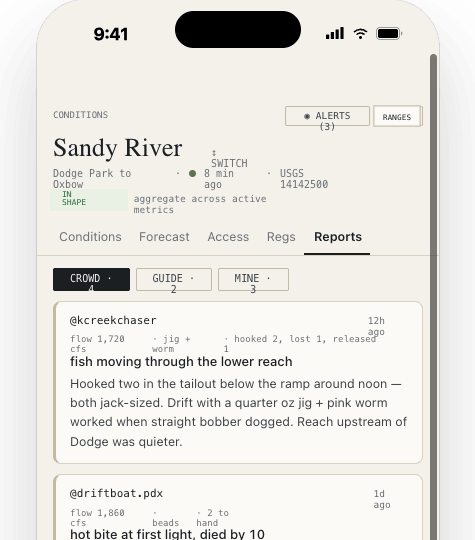
Every reading or report shows where it came from and when it was last updated. USGS gauge readings, NOAA and NWS forecasts, DART and Fish Passage Center updates, state or tribal stocking and hatchery reports, creel counts where available, and field reports are shown separately.
- USGS · updated 12m ago
- NOAA weather, tides, currents, and forecasts
- Fish passage, stocking, smolt, returns, creel counts, and field reports separated from conditions and weather
Journal
Log trips with conditions saved beside them.
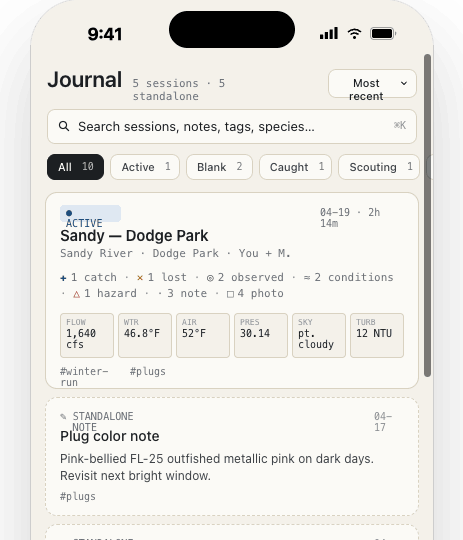
Log catches, skunked trips, scouting trips, tips from other anglers, observations, water notes, access notes, hazards, and photos. The app saves the conditions from that time and place so your own patterns are easier to see later.
- Activity timeline with entries, photos, and condition snapshots
- Conditions, weather, tide, reports, and source freshness saved with the entry where available
- Private fishing history built around your own trips
Map
Save spots and notes without posting them publicly.
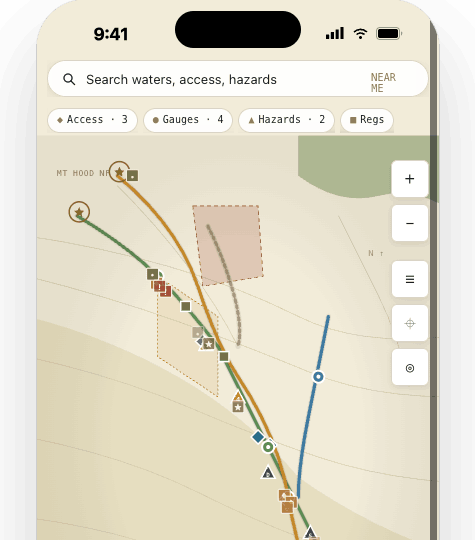
Gauge pins, access points, public reports, and condition layers sit on one map. Tap and hold to save a private pin tied to your account and use it to start a journal entry.
- Map view for gauges, access, reports, and saved spots
- Tap and hold to save a private Journal pin
- Private Journal coordinates stay separate from public reports
Plans & contacts
Planning for real fishing logistics.
Build separate lists for leaving home, getting set up at the water, packing up, and getting back to the truck. Keep routes, meet-up points, shuttle details, and fishing contacts close to the plan instead of scattered across texts.
- Reusable checklists for Leaving Home, At the Water, Leaving the Water, and Back at the truck
- Default items for license, layers, battery pack, regulations, gear checks, and logging
- Custom lists for the way out, the way back, and the gear that cannot stay behind
Notifications
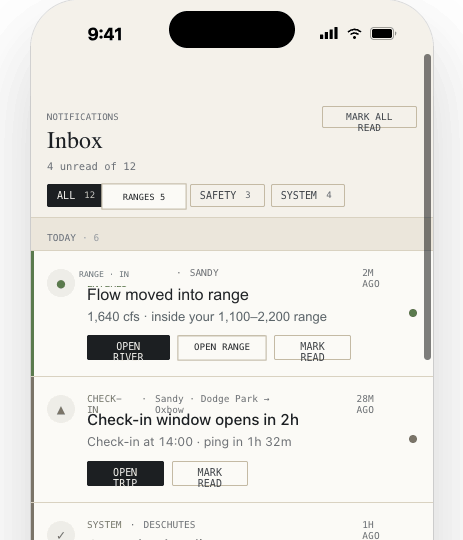
Know when a saved spot moves into range.
Trip Watch and account updates show in the same notifications list, so planned-return reminders and status updates do not get buried.
- Flow moved into range · Sandy
- Status update overdue · 12m ago
- Regulation update · Sandy
Trip Watch
A backup plan for when return time matters.
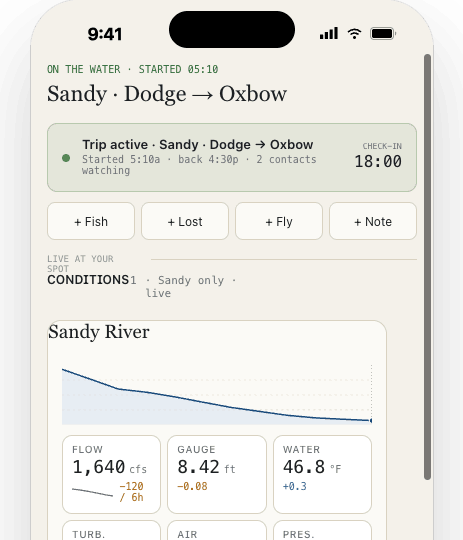
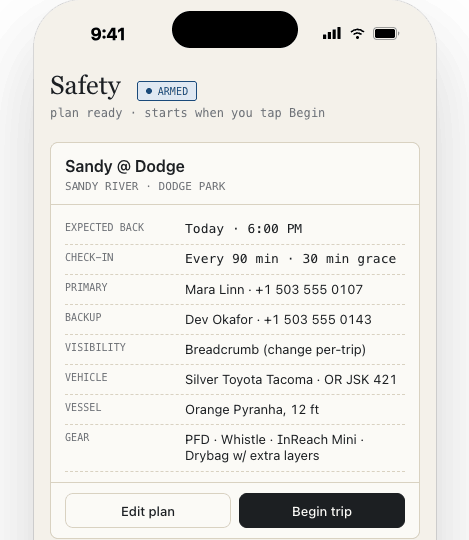
Set where you are headed, add route notes, choose a planned return or status-update time, and choose the fishing contacts who should know. Trip Watch can help selected fishing contacts understand overdue-trip details and last known location where available, but it is not emergency dispatch.
- Set destination notes, planned return timing, route context, and selected fishing contacts.
- Send status updates such as All good, Running late, or Need help.
- Contacts can include fishing partners, family, shuttle contacts, and trusted contacts.
- Delivery depends on signal, carriers, and a powered-on device.
- No dedicated satellite-messenger integration is published yet.
Home states
The home screen changes when you have saved waters, active trips, or checklists.
The morning of a trip should not start with a pile of websites and old notes. Saved spots, active trips, checklists, and a coordination plan are available from the first screen.